Module 07 / SPATIAL
Spatial web
From the page into the room
The spatial web takes a page out of the rectangle: objects that sit in your room and spaces you stand inside.
Why it matters
- What you're looking at
- The FR01 three ways: in <model> on the page (and in AR), as a splat you meet in WebXR, and the showroom it stands in, life size around you on Vision Pro.
- Why it matters
- No app to install: a link opens into space, and the same page still works as a flat page everywhere else.
- The trade-off
- Device-bound and early: much can only be checked on a headset, and each platform offers a different slice (visionOS or WebXR).
Loading stage…
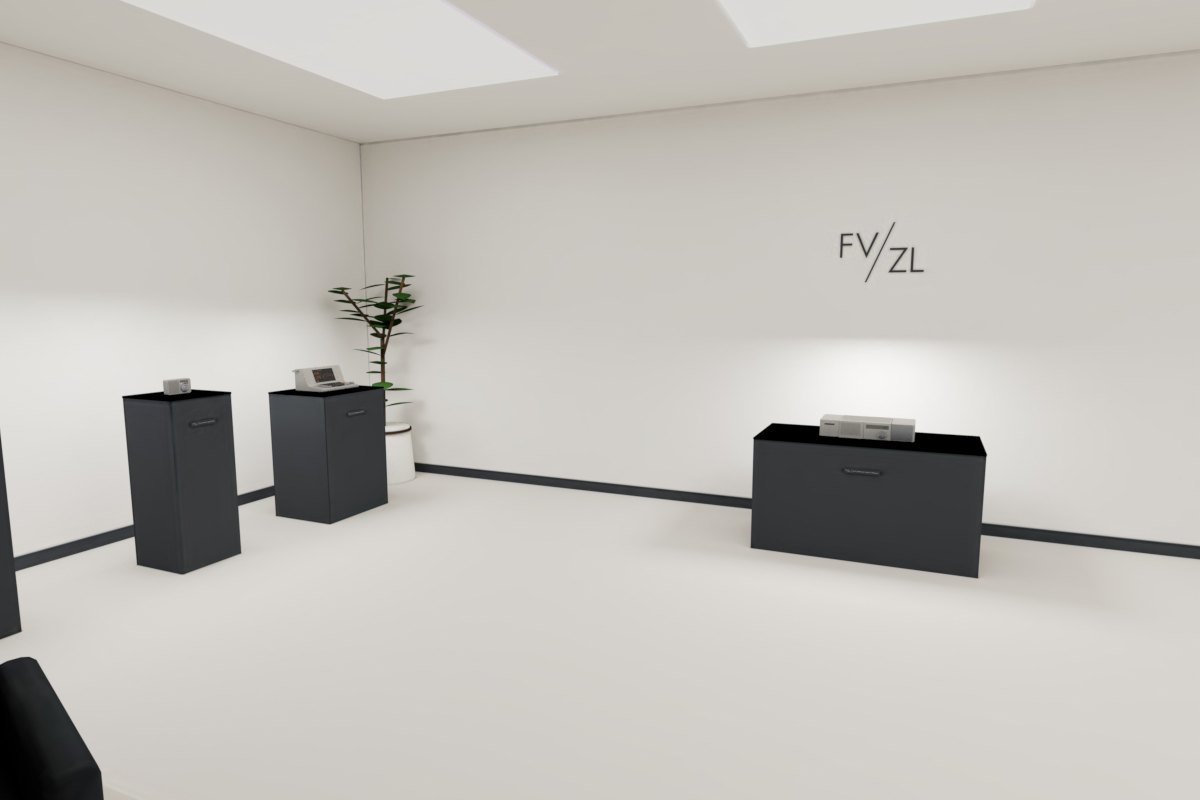
Fig. 07B / Step inside
The FVZL showroom, life size
The room Module 03 walks as a splat, here as geometry with its light baked in. On Apple Vision Pro the page opens it around you, with the FR01 at your left, and you can still use the page.
Step inside needs Safari on Apple Vision Pro (visionOS 27).
Module notes
The FR01 Pocket Receiver on Vision Pro: <model> stage modes, an immersive environment and WebXR, the parts of the web that leave the rectangle.
- This browser
- checking…
- Native path
- WebXR immersive + visionOS immersive environments needs WebXR immersive
- Fallback
- the FR01 on the page, no immersion needs WebGL 2
- Status
- Live since 2026-10-11
- Payload
- The FR01 (fr01.glb, for <model-viewer>) · 1.5 MB
- Studio light (studio.hdr) · 677 KB
- <model-viewer> and three.js · 312 KB
- GLTFLoader · 14 KB
- Stage code · 12 KB
- The FR01 as USDZ, for native <model> · 1.3 MB (instead, in Safari 27)
- PlayCanvas engine · 368 KB (in the In VR tab)
- The FR01 as a splat (first level; finer ones stream in up close) · 4.6 MB (in the In VR tab)
- VR stage code · 21 KB (in the In VR tab)
- The showroom (room.web.usdz) · 3.5 MB (on Step inside, Vision Pro)
- The showroom's light (room.hdr) · 1.8 MB (on Step inside, Vision Pro)
- Budget
- Payload 2.5 MB · budget ≤ 3 MB Within
- First frame desktop 3.1 s · phone 2.0 s · budget ≤ 3.5 s Within
- Frame rate desktop 60 fps · phone 60 fps · budget ≥ 55 fps desktop · ≥ 30 phone Within
- Browser support
-
First version with each feature · caniuse, WebKit (Safari 27 release notes), the visionOS 27 simulator, 2026-10-11Feature Chrome Safari Firefox WebXR immersive VR, on a headset (Safari on Vision Pro since visionOS 2; Meta Quest Browser) 79, partial Not yet (Mac); visionOS 2 Not yet Immersive website environments (requestImmersive) Not yet 27 (visionOS) Not yet HTML <model> element (the FR01 on the page) Not yet 27 Not yet WebGL 2 (the stand-ins: <model-viewer>, the splat inline) 56 15 51 - Tags
Module 07 / Use it on your page
Three ways out of the rectangle: <model> on the page with AR, WebXR for headsets, and an immersive environment in Safari on visionOS. Each is feature-detected, each has a fallback.
Page: a USDZ (1.3 MB), or <model-viewer> + a GLB · VR: npm playcanvas 2.23 + a splat (4.6 MB first level) · Room: a USDZ (3.5 MB) + .hdr, only after the tap
-
Step 1
On the page, with AR
Native <model> where Safari has it (see Module 02); elsewhere <model-viewer>, whose ar attribute opens WebXR or Scene Viewer on Android and AR Quick Look on iOS.
<model-viewer src="fr01.glb" ios-src="fr01.usdz" ar ar-modes="webxr scene-viewer quick-look" camera-controls alt="The FR01 Pocket Receiver"></model-viewer> -
Step 2
In a headset, with WebXR
PlayCanvas asks for an XR-compatible WebGL 2 device (Safari's WebXR binds to WebGL), offers the button only where VR is available, and starts the session on the visitor's tap.
const device = await pc.createGraphicsDevice(canvas, { deviceTypes: [pc.DEVICETYPE_WEBGL2], xrCompatible: true, }); // … the app as usual, with opts.xr = pc.XrManager button.hidden = !app.xr.isAvailable(pc.XRTYPE_VR); button.onclick = () => app.xr.start(camera.camera, pc.XRTYPE_VR, pc.XRSPACE_LOCALFLOOR); -
Step 3
Step inside, on visionOS
A hidden <model> holds the environment; nothing downloads until the tap. The request needs the tap's user activation, and works only from the top-level page.
<model id="room" hidden environmentmap="room.hdr">
  <source src="room.web.usdz" type="model/vnd.usdz+zip">
</model>

<script type="module">
  if (document.immersiveEnabled) {
    stepInside.hidden = false;
    stepInside.onclick = async () => {
      room.hidden = false;
      await room.requestImmersive();
    };
  }
  document.addEventListener("immersivechange", () => {
    // document.immersiveElement is the room, or null after exitImmersive()
  });
</script>
Serving it
- Everything here needs https.
- Immersive works only from the top-level page, never inside an iframe, whatever its allow attribute says. WebXR does work in an iframe with allow="xr-spatial-tracking".
- In the immersive space the origin is the visitor's feet, in metres, facing −Z: place the scene with entityTransform once the model is ready.
- Serve .usdz as model/vnd.usdz+zip.